Filter applications by recent submissions
When you are searching for applications for a position, you can filter the applications based on how recently the applications were submitted.
Here's how:
1) Select a list of applicants for a position.
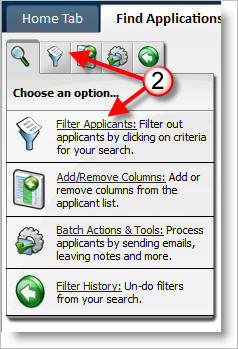
2) Click on the Filter Applicants option.
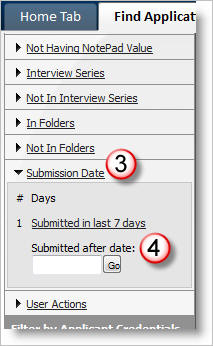
3) Click on the Submission Date filter.
4) Select from the options such as "Submitted in last 7 days" or enter a date such as 6/29/06 in the "Submitted after date" text box and click on "Go".